
View links with previews, settings in separate window, improved exports, bug fixes.
Views
- Link to a view from any note with a view wikilink — type
[[followed byviewor the view's name to find it. - View links show the view's icon and name in its color; clicking one previews the view in a sheet, and
CMD/Ctrl + Clickopens it in a tab. - Drag cards between lanes on a Kanban board to update the property the board is grouped by.
Settings Window
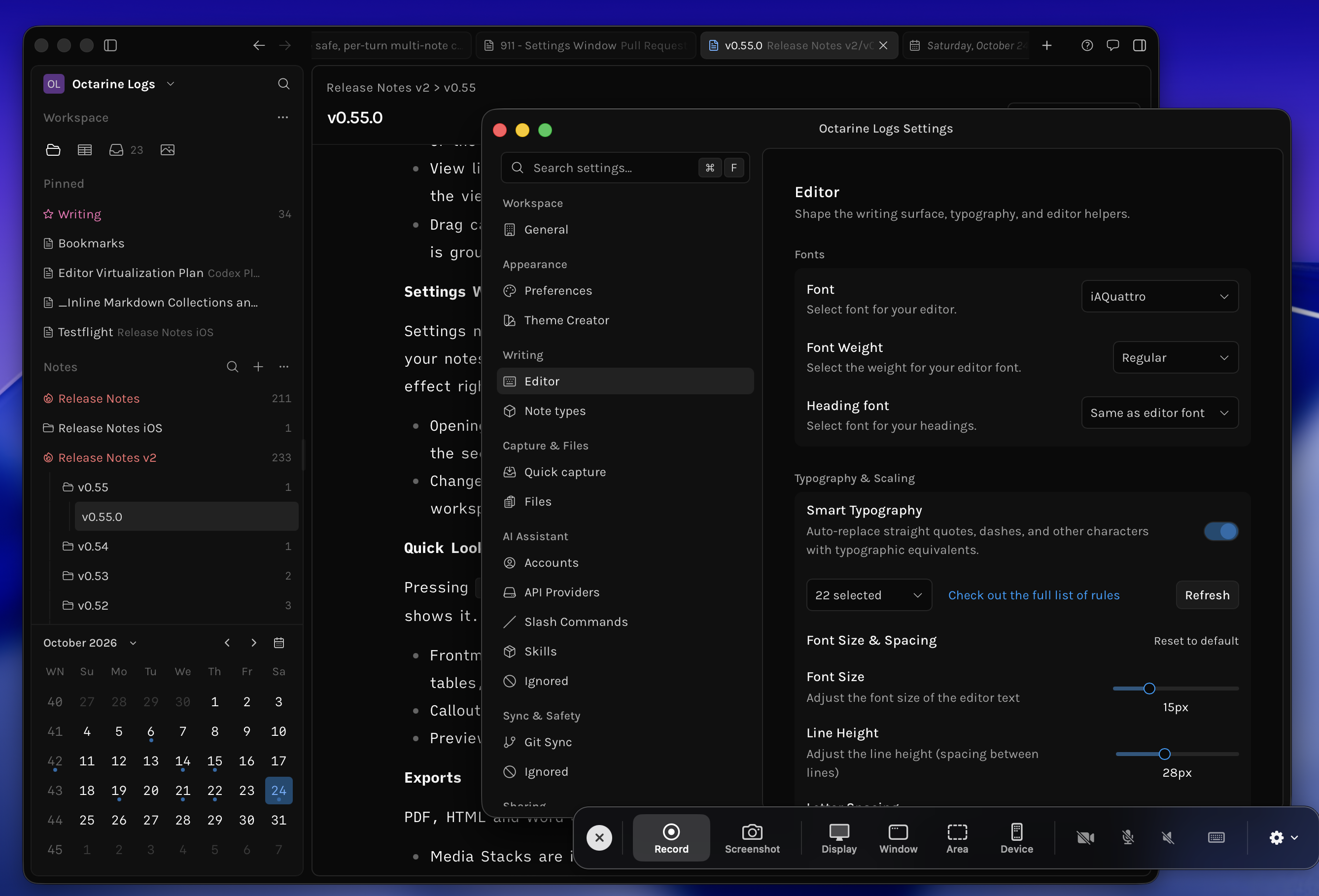
Settings now open in their own window for each workspace instead of replacing your notes, so you can tweak themes, editor options and more while seeing the effect right away.
Quick Look Previews
Pressing Space (or right click > Quick Look) on a Markdown file in Finder now previews it the way Octarine shows it.
Exports
PDF, HTML and Word exports now keep more of what you see in the editor.
- Media Stacks are included in exports instead of disappearing.
- Resized images keep the width you gave them.
- Mermaid diagrams are exported as diagrams instead of their source code.
- PDF pages now break between lines, images and table rows instead of cutting through them, and headings no longer get stranded at the bottom of a page.
- A new
Add note name as headingoption puts the note's name at the top of the export. - The export dialog now remembers your choices.
Improvements
- Clicking outside a view's name while renaming it now saves the new name;
Escapestill cancels.
Fixes
- Fixed
Enterin the slash menu splitting a task item instead of running the selected command. - Fixed
CMD/Ctrl + Jnot reliably opening the Writing Assistant. - Fixed the pin and lock status of the open note not updating when changed from the file tree.
- Fixed the main window never appearing on Windows after quitting from the tray.