Full page
Keep the article, drop the noise.
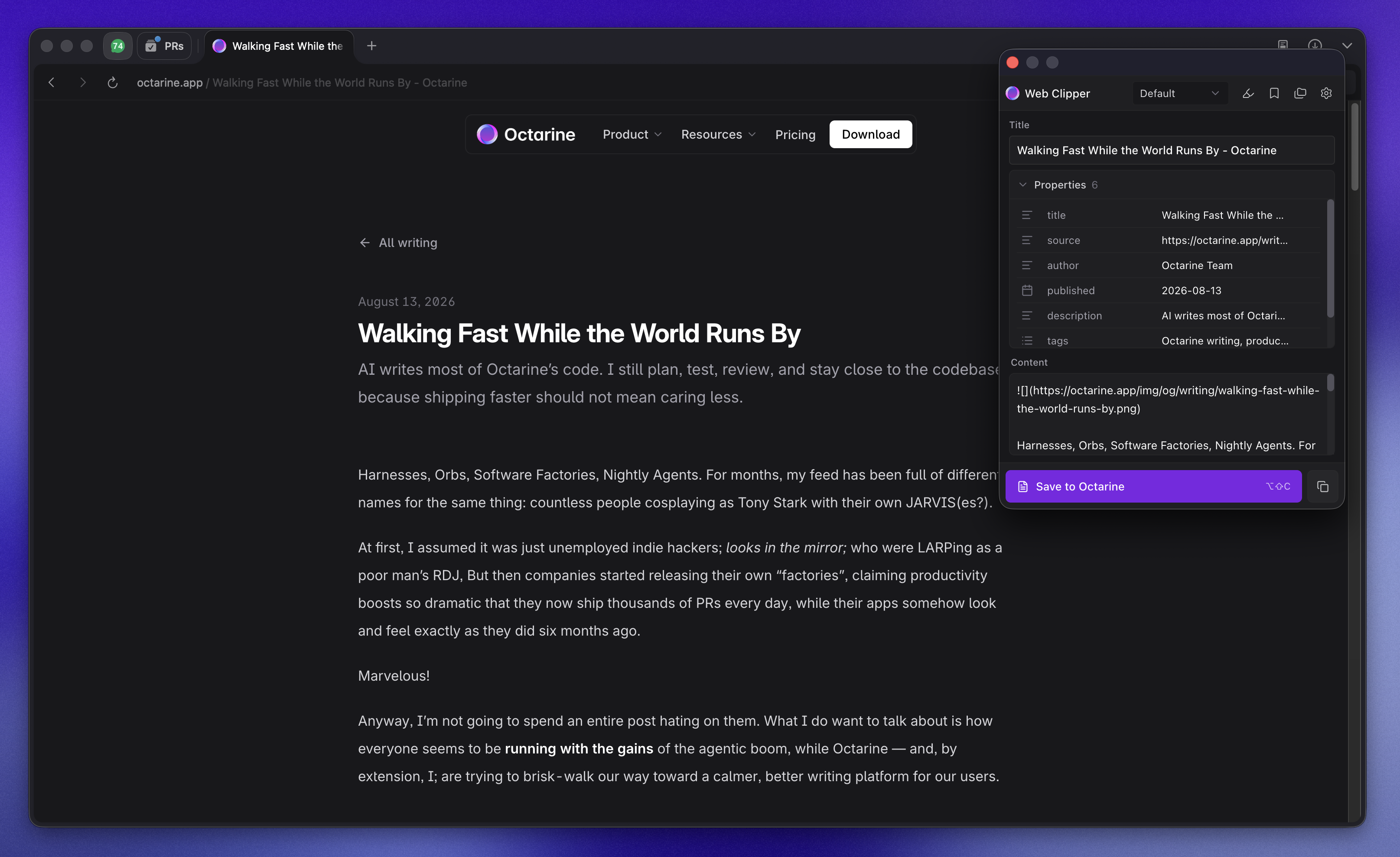
Readability-based extraction removes ads, sidebars, and navigation, then converts the page into clean Markdown.

Octarine Web Clipper turns articles, selections, and open tabs into clean local Markdown, filed straight into your Octarine workspace.
Free and open source. Also available for Firefox.
Processed in your browser
Content never touches a server
No external data service
No analytics or account system
Free and open source
MIT licensed, auditable code
However a page is worth keeping, there is a mode for it. Clip the whole article, grab a paragraph, batch your tabs, or let a template decide the format for you.
Readability-based extraction removes ads, sidebars, and navigation, then converts the page into clean Markdown.
Save a single passage or collect several highlights from across a page into one organized note.
Match any URL, reshape the Markdown, add typed properties, and choose where the clip lands in your workspace.
Turn a PR into a note with status, author, reviewers, and file changes, or capture an entire issues page as links.
Append a URL to your bookmarks note, or save every open tab in a single pass when you are clearing a session.
Use a global shortcut or the right-click menu to save instantly, without ever opening the popup.
A template can match a site, shape the Markdown, attach typed properties, and send the note to a folder. The extension picks the most specific match, so your reading list, recipes, and engineering docs all land where they belong.
Use a wildcard URL pattern such as *.example.com/*. The most specific matching template wins, and the built-in ones cover web pages, GitHub pull requests, and issue lists.
Build the body with variables like {title}, {content}, and {url}, and attach properties such as author, published date, or tags.
Send clips to a workspace and folder automatically. Folders are created on demand, so nothing needs to exist ahead of time.
Every clip carries structured fields you can filter and sort in Octarine Views.
Append a URL to a running bookmarks note with a single shortcut.
Review and edit the title, properties, and Markdown before anything is written.
Templates are stored locally and can be edited at any time. Built-in ones stay available as a starting point, and your changes never leave the browser.
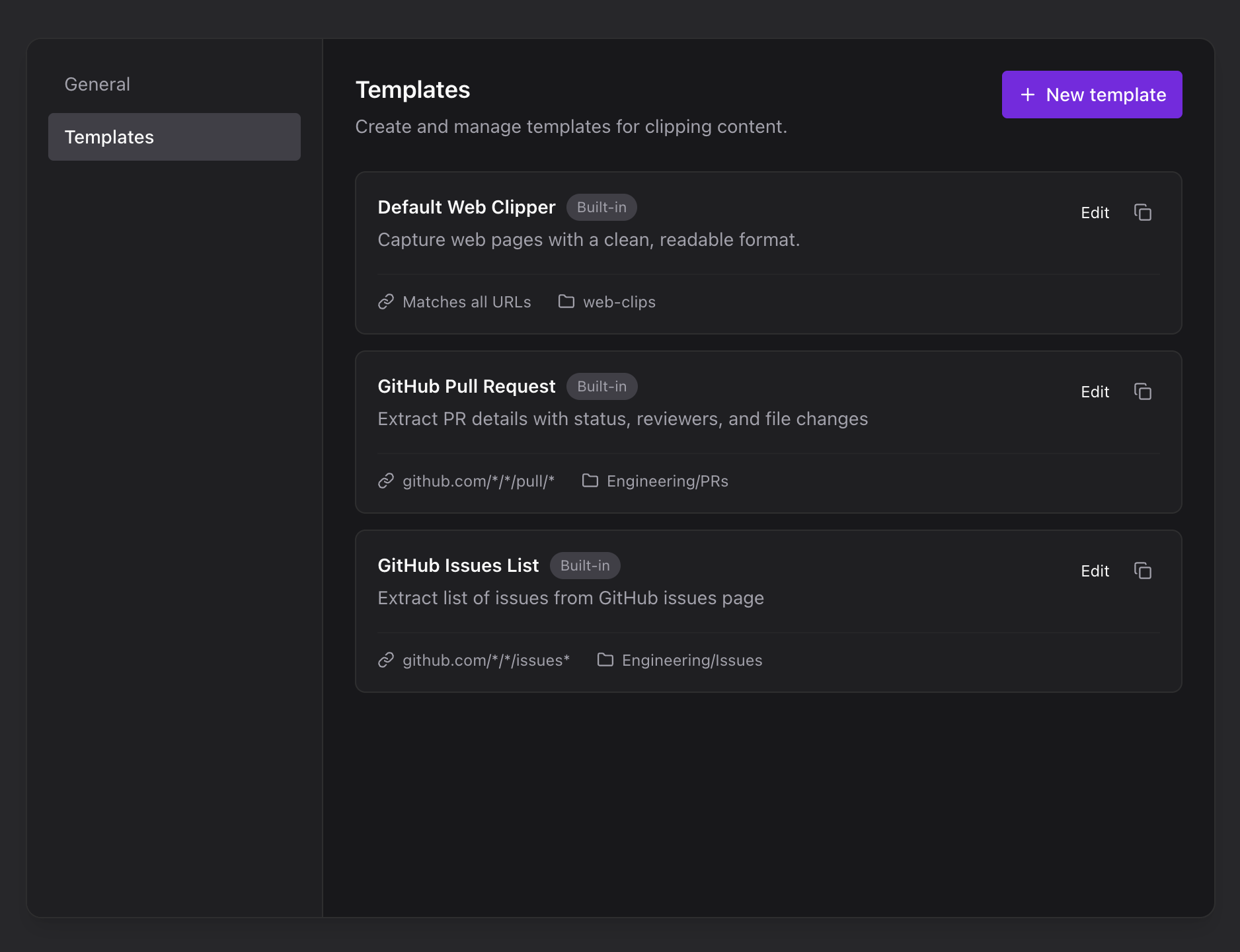
Web pages, GitHub pull requests, and issue lists ship ready to use. Add your own for newsletters, recipes, or documentation.
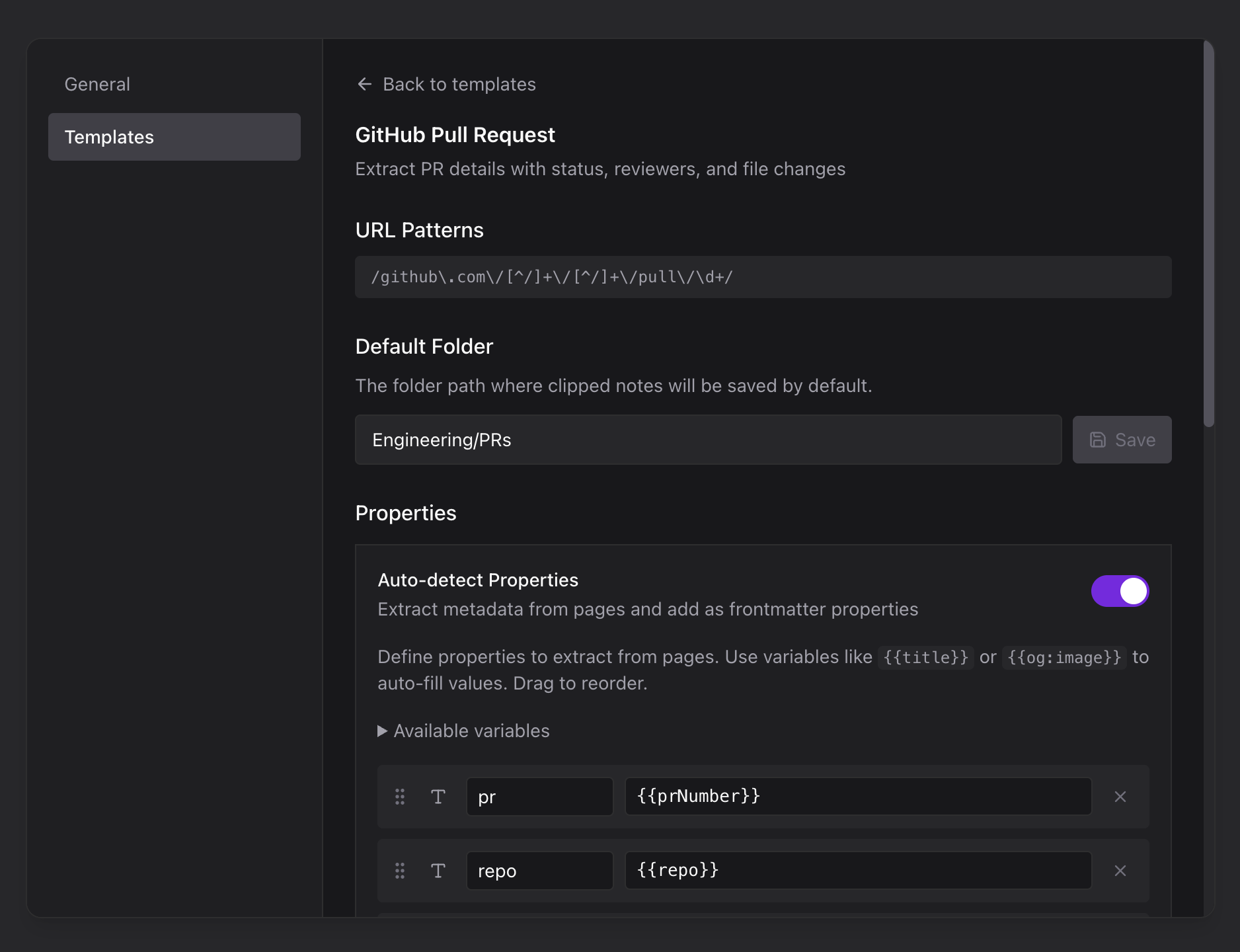
Set a wildcard URL pattern, a destination folder, and the Markdown body. Test the match before you save the template.
A clip is just a Markdown file with properties stored in readable YAML. Nothing proprietary, nothing locked in.
Rebind any of them from your browser settings. On macOS the same shortcuts use the Option key.
Chrome, Edge, and Brave install from the Chrome Web Store, and Firefox installs from Firefox Add-ons. The Safari build target is available with the source on GitHub.
Browse the repository
A fast, private Markdown workspace for capturing ideas, shaping notes, and keeping your writing in files you control.