
A home for every stream of work
Group tasks into projects, each with its own key, so WEB-24 always means the same thing. Switch between a grouped list and a board, and drag cards to change status.
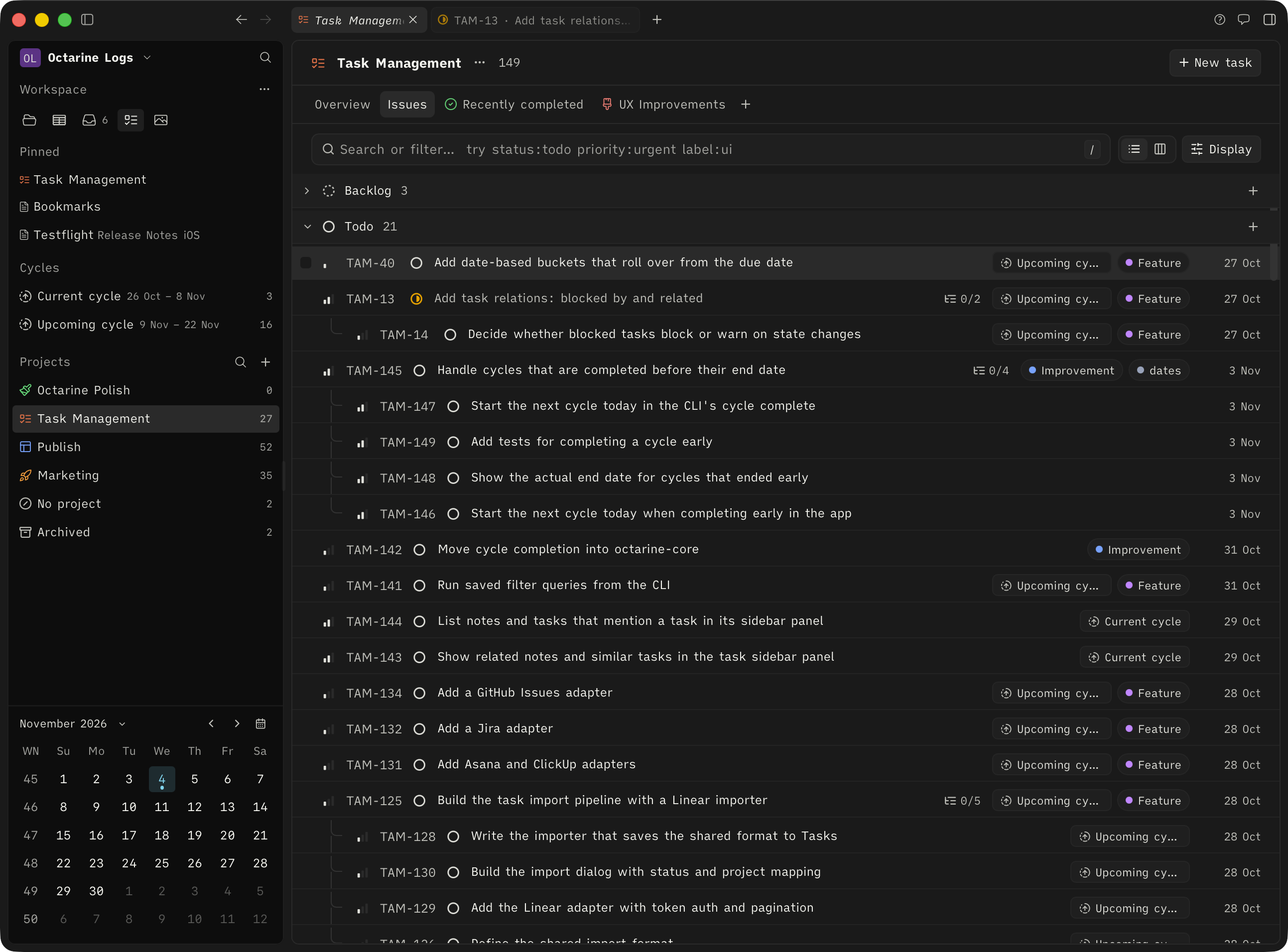
Move through work without touching the mouse
Single-key shortcuts, IDs that survive reorganising, one-level subtasks, and bulk edits you can undo.
A key for everything
Press J and K to move, then S, P, L, M, B, or Y to change status, priority, labels, project, bucket, or cycle. Open a task with Enter.
IDs that follow the task
Move a task to another project and it takes the next number there. The old ID still finds it, so links in notes and commits never break.
Subtasks, one level deep
Break work into steps that share the parent's project and cycle. Close the parent, and Octarine asks whether to complete the rest.
Change many tasks at once
Select with X, Shift-click, or Cmd/Ctrl + A, then update status, priority, labels, project, bucket, or cycle from the bar. Every bulk change can be undone.
When a checkbox turns into real work
Put the cursor in a checkbox and choose Convert to Task. The text becomes the title, nested items become the description, and the note keeps a live link to the task.
- Live task links
- Link tasks and projects from any note with [[. Chips show status and strike through once the task is closed.
- Full editor descriptions
- Slash commands, wikilinks, and tags work in every task description, which saves as you type.
Sync is mostly stable after the last release. Two follow-ups:
Fix sync conflict when two devices edit offline
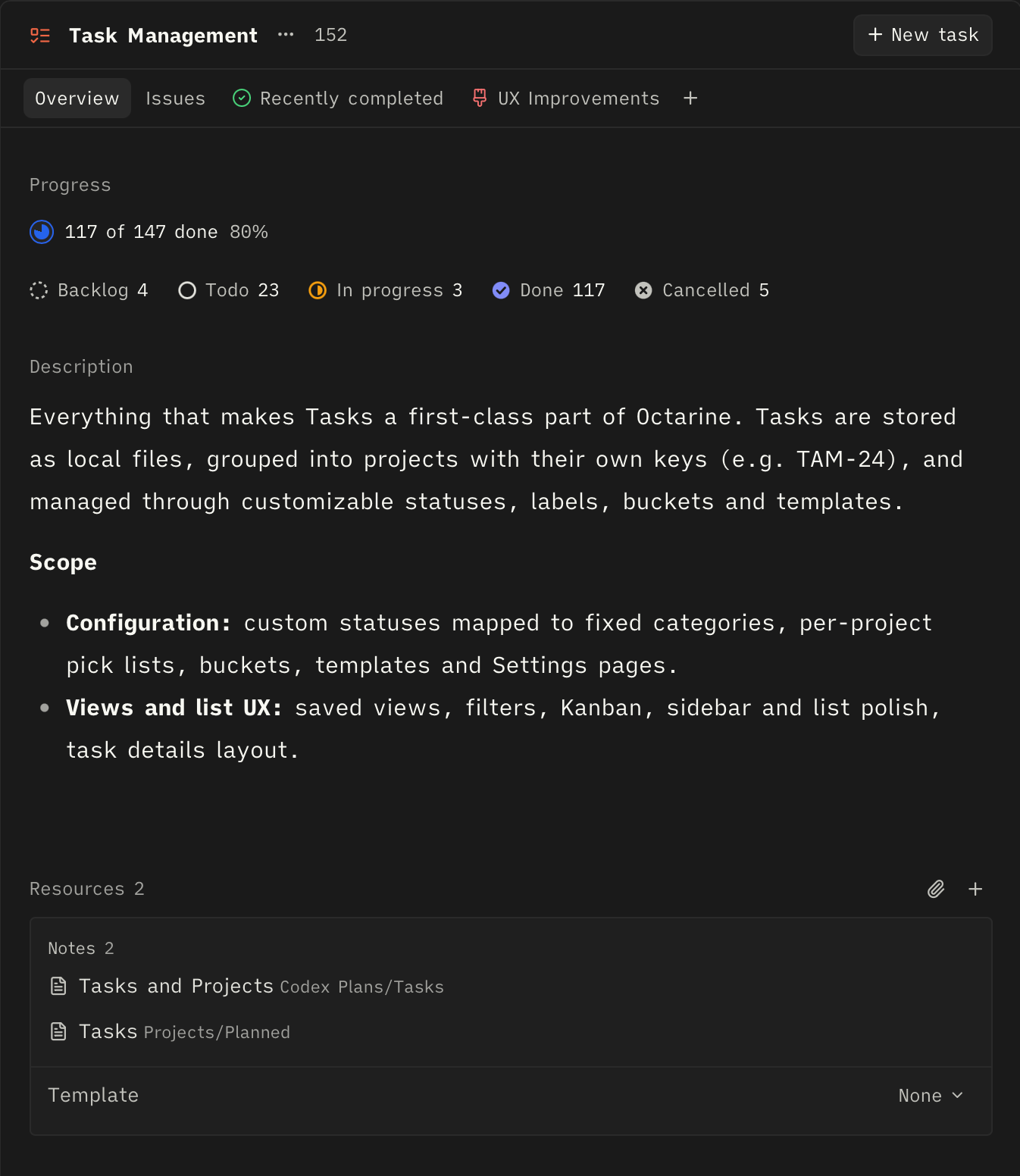
Everything the project relies on, in one place
Each project has an overview with progress by status, a full-editor description, and resources: the notes, files, and links you keep reaching for.
- Only the statuses you need
- Limit a project's statuses, labels, and buckets. A writing project might use just Todo, In progress, and Done.
- Default templates
- New tasks in a project can start from a template with a title prefix, description, labels, priority, and subtasks.
- Saved filters as tabs
- Pin searches like All open, Due this week, or Overdue to a project, or share them across projects.
Ask precise questions of your backlog
Type plain words, an ID, or filter keys. Combine them freely and save the result as a filter tab. The same syntax works in the CLI and Ask Octarine.
Work in steady, repeating time boxes
Turn on cycles for one to four week sprints that start on the day you choose. Plan tasks in with Y, and subtasks come along with their parent.
When a cycle ends, see what was planned, completed, and left unfinished. Carry the rest forward or send it back to the backlog, and the upcoming cycle becomes the active one.
Your tasks, available to AI on your terms
Ask Octarine can read, summarise, and update tasks, with your approval for every change. The CLI lets coding agents plan their work as tasks and report progress as they ship.
Two open tasks in Website have due dates:
No database. No lock-in.
Each task, project, cycle, label, and filter is a small Markdown file with YAML frontmatter in your workspace. They sync and back up with your notes, and edits from another device or the CLI show up on their own.
Questions
Tasks is included with Octarine Pro. The full reference lives in the docs.
Start writing with  Octarine.
A fast, private Markdown workspace for capturing ideas, shaping notes, and keeping your writing in files you control.